

How to Use WhatsApp Broadcast Lists to Send Updates Without a Group
Most of us have been in a group chat that never stops buzzing. Someone sends a good morning image, another person replies with a sticker, a third person asks a question that has nothing to do with the original message, and before long the real update is buried under fifty messages that nobody asked for. You wanted to share one simple piece of news, and now you are stuck in a noisy conversation that keeps pulling your attention away all day. It is a familiar feeling, and it is the reason so many people quietly mute groups or leave them altogether.
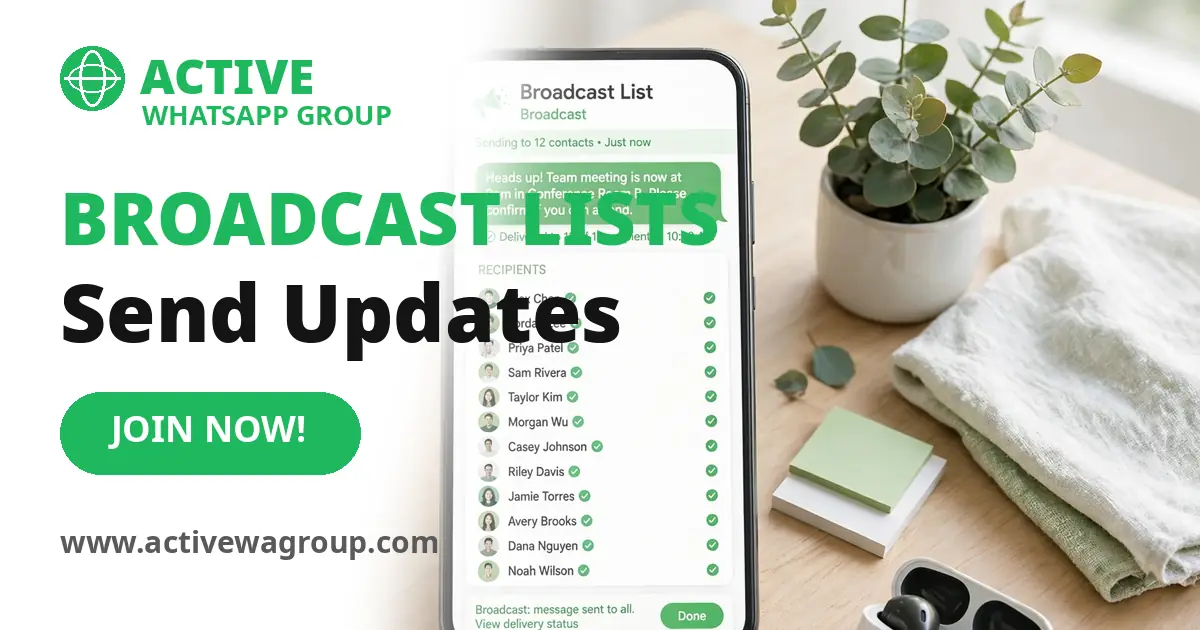
A broadcast list solves this problem in a quiet and clever way. It lets you send the same message to many people at once, and each person receives it as if you sent it to them alone. There is no shared chat, no reply all, no flood of messages from strangers, and no awkward moment when two people start arguing in front of everyone else. You write once, you send once, and each person reads it in their own private chat with you. If they reply, only you see the reply. That simple difference changes everything about how updates feel, both for the sender and for the people who receive them.
Many people have never tried this feature, even though it has been part of WhatsApp for years. Some think it is only for businesses, or they confuse it with a group and assume it works the same way. Others have heard of it but never felt sure how to set it up, who will actually receive the messages, or what happens if someone has not saved their number. Those are fair questions, and this guide answers them in plain language, with real examples from family life, school notices, small shops, and community work.
By the end of this guide you will know exactly what a broadcast list is, how it differs from a group, how to create one in a few taps, what you can send through it, how to edit or delete it, and how to use it in a way that people welcome rather than ignore. You will also learn the common mistakes that make broadcast messages feel like spam, and the simple habits that keep your messages useful, respectful, and easy to read.
What a Broadcast List Is
A broadcast list is a way to send one message to several people at the same time without putting them in a shared group. You choose the people, you give the list a name for your own reference, and then you send your message as you normally would. WhatsApp delivers a separate copy to each person on the list. On their phone it looks like a normal message from you, sitting in their one to one chat with you, not in a group chat with other people.
Think of it like sending the same letter to many friends. You write the letter once, you put it in separate envelopes, and each friend opens their own copy at home. They do not see who else received it, they cannot see each other’s replies, and they cannot talk to each other through your letter. A broadcast list works in the same spirit, only faster, because you do not need to copy and paste the same message again and again or worry that you forgot someone.
This feature is useful because it saves time while keeping things private. A teacher can share a homework reminder with parents, a shop owner can share a new arrival with regular customers, and a family member can share news about a gathering with relatives who live in different cities. Each person gets the news directly, and nobody has to scroll through a busy group to find it. The message arrives cleanly, the reply stays private, and the conversation stays simple.
It helps to remember that a broadcast list is not a chat of its own. You will not see a shared conversation thread where everyone talks together. When you open the list, you see the message you sent, and when someone replies, that reply appears in your private chat with that person, not inside the list. This is by design. It keeps the update focused and it protects the privacy of everyone on the list, which is often the main reason people prefer it over a group.
How a Broadcast List Differs From a Group
The biggest difference is privacy. In a group, every member can see every other member, including their names and phone numbers. They can read each other’s messages, reply to anyone in the group, and watch the conversation grow in directions you never planned. In a broadcast list, recipients cannot see each other at all. They do not know who else received the message, and they cannot reply to the whole list. This makes a broadcast list a much better choice when you are messaging people who do not know each other, or when the update is personal and does not need a public discussion.
The second difference is control. A group belongs to everyone in it, in a practical sense, because anyone can speak at any time. That can be lively and fun, but it can also be messy when you only want to share information. A broadcast list keeps you in control of the message. You decide what goes out and when it goes out. People can reply to you privately if they need to, but they cannot change the topic for everyone else or fill the chat with messages that distract from your update.
The third difference is how replies work. In a group, a reply is visible to all members, which sometimes stops people from asking a question because they do not want everyone to see it. In a broadcast list, a reply goes only to you. A parent can ask about school timing without feeling shy, a customer can ask about a price without sharing it with strangers, and a relative can share a personal response without putting it in front of the whole family. This private reply path often leads to better and more honest conversations.
There is also a difference in how people join. A group usually needs an invite link or an admin to add members, and anyone who joins can see past messages and the full member list. A broadcast list needs no invite and no joining step. You add people from your contacts, and they simply start receiving your messages, provided they have your number saved in their phone. If they do not want the messages, they can ask you to remove them or they can block the chat, just as they would with any private message. It is a lighter and less formal arrangement, which suits one way updates very well.
How to Create a Broadcast List
Creating a broadcast list is simple, and it takes less than a minute once you know where to look. On an Android phone, open WhatsApp, tap the three dots in the top corner, and choose New broadcast from the menu. On an iPhone, open WhatsApp, go to the Chats tab, tap the compose button at the top, and choose New Broadcast. In both cases you will see your contacts list, and you can tap the names of the people you want to include. When you have chosen everyone, tap the tick or the create button, and your list is ready.
It is a good idea to think about the purpose of the list before you add people. A list for family news should contain family members only. A list for customers should contain customers only. A list for school parents should contain parents only. Mixing everyone into one big list may seem efficient, but it usually leads to messages that feel irrelevant to half the people who receive them. Smaller lists with a clear purpose get better responses and fewer complaints, because every message feels like it was meant for the reader.
After you create the list, give it a clear name if WhatsApp asks you to, or rename it so you can find it later. A name like Family Updates or Shop Customers or Class Parents helps you remember what the list is for, especially if you create more than one. The name is only visible to you, not to the recipients, so you can use any label that makes sense to you. You can also add a photo or a short note for yourself if that helps you stay organised, though this is not required.
Once the list is ready, you can send your first message straight away. Type it as you would type any WhatsApp message, add a photo or a voice note if needed, and tap send. WhatsApp will deliver it to each person separately. You will see a tick for each delivery in the broadcast view, and you can check who has read it by opening the message info, just as you would with a normal message. Take a moment to read your message before you send it, because once it goes out to many people, a small typo or a wrong date becomes much harder to fix gracefully.
Who Receives Your Messages and Why Saving Your Number Matters
This is the part that confuses most people, so it deserves careful attention. A broadcast message is delivered only to people who have your phone number saved in their contacts. If someone has not saved your number, WhatsApp will not deliver your broadcast message to them, even if they are on your list. This is a spam protection rule, and it applies to everyone. It means you cannot use a broadcast list to reach strangers, and you cannot use it to send cold messages to people who have never saved you.
There is a simple reason for this rule. WhatsApp wants to stop unwanted bulk messages, and requiring the recipient to have saved the sender is a practical filter. If someone has saved your number, it usually means they know you, they trust you, or they have done business with you before. If they have not saved you, WhatsApp assumes the message may be unwanted and blocks the delivery. This protects users, and it also protects honest senders, because it keeps broadcast lists useful rather than turning them into another channel for spam.
So before you rely on a broadcast list for an important update, it helps to ask people to save your number. A teacher can ask parents to save the school number at the start of the term. A shop owner can ask customers to save the shop number when they make their first purchase. A community organiser can share a short note asking members to save the number so they do not miss notices. This one small step makes a big difference, and it is worth doing early, before you send anything urgent.
If a message does not reach someone, check the delivery ticks first. A single grey tick means the message has been sent but not delivered, which often means the person has not saved your number or they are offline. Two grey ticks mean it has been delivered, and two blue ticks mean it has been read, if read receipts are turned on. You can also open the message info to see the exact list of people who received it and who has read it. If one person keeps missing messages, a polite personal note asking them to save your number usually solves the problem without any awkwardness.
Limits and What You Can Send
Every broadcast list has a limit on how many people you can add. At the time of writing, WhatsApp allows up to 256 recipients in a single broadcast list. That is enough for most families, classes, customer groups, and community lists. If you need to reach more people than that, you can create a second list with a different set of people, or you can split a large audience into smaller lists by area, by class, or by interest. Smaller lists are often better anyway, because they let you tailor the message to each group.
You can send almost anything through a broadcast list that you can send in a normal chat. Text is the most common, and it works well for short updates, reminders, and announcements. Photos are useful for sharing a poster, a product image, a school notice, or a family photo. Voice notes are helpful when you want to explain something in your own words, especially for people who prefer listening over reading. You can also send videos, documents, location pins, and links, just as you would in a private chat.
There are a few practical limits to keep in mind. Very large videos may take time to send to many people, and long messages may be harder to read on a small screen. It is usually better to keep the message short and clear, and to attach a document or a photo only when it adds real value. If you are sharing a link, add a short line explaining what the link is and why it matters, so people do not have to guess. A clear message with one clear action is much more likely to be read and acted on than a long message with several different requests.
It is also worth knowing that broadcast messages do not support every group feature. You cannot add a poll that everyone votes on together, you cannot see a shared member list, and you cannot start a group call from a broadcast list. If you need a live discussion, a vote, or a shared decision, a group is the better tool. A broadcast list is best for one way updates where you want to inform people quickly and let them reply privately if they need to. Choosing the right tool for the job is half the skill here.
How to Edit or Delete a List
Lists change over time, and WhatsApp makes it easy to keep them up to date. To edit a list, open it, tap the list name at the top, and you will see the list info screen. From there you can add new people, remove people who no longer need the updates, and change the list name for your own reference. Adding someone is as simple as tapping Add recipient and choosing a contact. Removing someone is just as simple, and they will not receive a notification telling them they were removed, which keeps things polite and discreet.
It is good practice to review your lists every few weeks, especially for school and business lists where people join and leave often. A parent whose child has changed class does not need class updates any more. A customer who has moved away does not need local shop notices. Removing people who no longer need the messages keeps your list clean and keeps your delivery rate healthy, because you are only messaging people who still want to hear from you. A tidy list is also easier to manage when you are in a hurry.
If you no longer need a list at all, you can delete it without deleting your private chats with the people on it. To delete a list, open the list, tap the menu, and choose the delete option, or swipe and delete it from your chats list depending on your phone. Deleting the list removes the list itself and its history from your phone, but it does not delete the individual chats you have with those people. Their copies of your messages stay in their chats, and you can still message them one by one as normal.
Before you delete a list, it helps to pause and check whether you might need it again soon. A seasonal list for a festival, a school term, or a short project may be worth keeping until the season ends, even if you are not using it every week. If you are sure it is finished, delete it and move on. Keeping only the lists you actively use makes WhatsApp feel calmer and makes it easier to find the right list when you need to send an update in a hurry.
Smart Ways to Use Broadcast Lists Every Day
Family updates are one of the best uses for a broadcast list. A family spread across different cities can stay in touch without a noisy group where every small comment triggers a notification for everyone. You can share news about a gathering, a birthday, a health update, or a travel plan, and each relative can reply privately with their own wishes or questions. This keeps the news warm and personal, and it avoids the situation where one relative feels left out because they missed a message buried in a busy group.
School notices are another strong use. Teachers and school staff can share homework reminders, exam dates, holiday notices, and event details with parents quickly and reliably. Parents receive the notice in their private chat, they can read it at their own pace, and they can reply privately if they need to ask about their own child. This is much better than a group where parents ask personal questions in front of everyone or where an important notice gets lost under a pile of good morning messages and stickers.
Small businesses can use broadcast lists with care and respect to share useful news with regular customers. A shop can announce a new arrival, a special offer, a change in timing, or a restock of a popular item. The key is to send only messages that customers would genuinely want, and to keep the frequency low. One or two useful messages a week is plenty for most shops. If every message feels like a sales pitch, people will stop reading, and some will ask to be removed. If the messages feel helpful and timely, customers will look forward to them and may even reply to ask about a product.
Community news also fits well. A neighbourhood group, a mosque committee, a sports club, or a volunteer team can share meeting times, event details, collection news, or urgent alerts without creating a group where everyone talks at once. The organiser sends the update, members read it privately, and anyone with a question replies directly to the organiser. This keeps community work organised and calm, and it respects the time of people who only want the news, not a long discussion. When used this way, a broadcast list becomes a quiet helper for everyday life rather than another source of noise.
Privacy, Etiquette and Common Mistakes
Privacy is the strongest advantage of a broadcast list, and it is worth protecting. Because recipients cannot see each other, you can message people from different parts of your life without introducing them to each other or sharing their numbers. This matters for teachers, shop owners, and community organisers who deal with many people who do not know each other. It also matters for families, where some relatives may not want their number shared widely. A broadcast list lets you respect that boundary without extra effort.
Etiquette matters just as much as privacy. The first rule is to send only messages that the recipient would find useful. Ask yourself before you tap send whether this person would be glad to receive this message, or whether they would sigh and swipe it away. If you are not sure, it is better to wait or to send the message to a smaller list. The second rule is to respect timing. Early morning and late night messages feel intrusive, especially for school and business lists. A message sent during normal daytime hours is more likely to be read with a calm mind.
One common mistake is sending too often. Even useful messages become annoying when they arrive every day, especially if they are long or repetitive. It helps to set a rhythm and stick to it, such as one update a week for a shop, or one notice per event for a school. Another common mistake is sending the same message to every list without thinking about who is on it. A message about a school trip means nothing to your shop customers, and a message about a sale means nothing to your family. Tailor the message to the list, and people will keep reading.
A final mistake is forgetting the human touch. A broadcast message can feel cold if it reads like a copied notice, so add a warm greeting, use the person’s name when you reply privately, and keep your tone friendly and natural. If someone asks to be removed, remove them promptly and politely, without asking for a reason or trying to convince them to stay. Respect builds trust, and trust is what makes people keep your number saved and keep reading your updates. A broadcast list works best when it feels like a thoughtful message from a real person, not like a system sending out bulk mail.